Every top Google result for "local storage security camera" tries to sell you hardware. Reolink NVR systems at $700. Eufy cameras with SD cards. Amazon listings for PoE setups that require running ethernet cables through your walls.
But here's what nobody tells you: your Mac or iPhone can be a local storage security camera right now - for a fraction of the cost, with zero hardware purchases, and better privacy than most dedicated camera systems.
Q:What is the best security camera with local storage?
A: For software-based local storage, SpyCam ($14.99/year) turns any Mac into a motion-activated security camera with 100% local storage - no cloud required. For hardware, Reolink and Eufy offer NVR systems ($300-$1,500) with built-in storage. Software solutions offer better privacy and zero hardware cost.
- 1.Software: SpyCam for Mac ($14.99/yr) - local folder or Photos app storage
- 2.Software: Homy for iPhone ($44.99 lifetime) - iCloud Photos sync (your cloud)
- 3.Hardware: Reolink NVR ($300-$700) - multi-camera with NAS storage
- 4.Hardware: Eufy cameras ($100-$300) - microSD or HomeBase storage
Why local storage matters in 2026
The privacy case for local storage has never been stronger. Ring shares footage with police without warrants. Nest had a breach exposing live feeds. Wyze accidentally exposed 2.4 million customer records. Every major cloud camera company has had incidents.
But the bigger issue is simpler: monthly subscriptions add up fast. Ring Protect costs $100/year per camera. Nest Aware runs $60-120/year. A four-camera setup means $400-500/year - forever.
Local storage cameras record to devices you control. No monthly fees. No data on someone else's servers. No surprise price hikes. Your footage stays yours.
“I have been hesitant to get a home camera because I did not like the idea of them being connected to the cloud and getting hacked and whatnot. But for the first time ever an Amazon package was stolen.”
Two approaches: software vs hardware
There are fundamentally two ways to get local storage security cameras:
- Software-based: Turn your existing Mac, iPhone, or iPad into the camera. Zero hardware cost. Use your device's webcam and storage.
- Hardware-based: Buy dedicated cameras with SD cards, NVR systems, or NAS integration. More cameras, but $300-1,500+ investment.
Most guides only cover hardware. That's a mistake - because for many people, a spare Mac or old iPhone is already sitting unused and would make a perfect security camera.
| Feature | Software (SpyCam/Homy) | Hardware (NVR/SD Card) |
|---|---|---|
| Upfront cost | $15-45 (app only) | $300-1,500+ |
| Monthly fees | $0 | $0 |
| Setup time | 5 minutes | 1-4 hours |
| Outdoor use | ❌ Indoor only | ✅ Weatherproof options |
| Number of cameras | 1 per device | 4-16+ cameras |
| Motion detection | ✅ | ✅ (often AI-powered) |
| Night vision | ❌ (uses ambient light) | ✅ Infrared |
| Privacy level | 🔒 Maximum (offline) | 🔒 High (no cloud) |
| Remote viewing | Via iCloud Photos | Via app (local network) |
| Power requirements | Device must be powered | PoE or battery options |
Best software-based local storage cameras
If you have a spare Mac or iPhone, software-based solutions get you 90% of the functionality at 5% of the cost. Here are the two best options.
SpyCam (Mac) - editor's choice
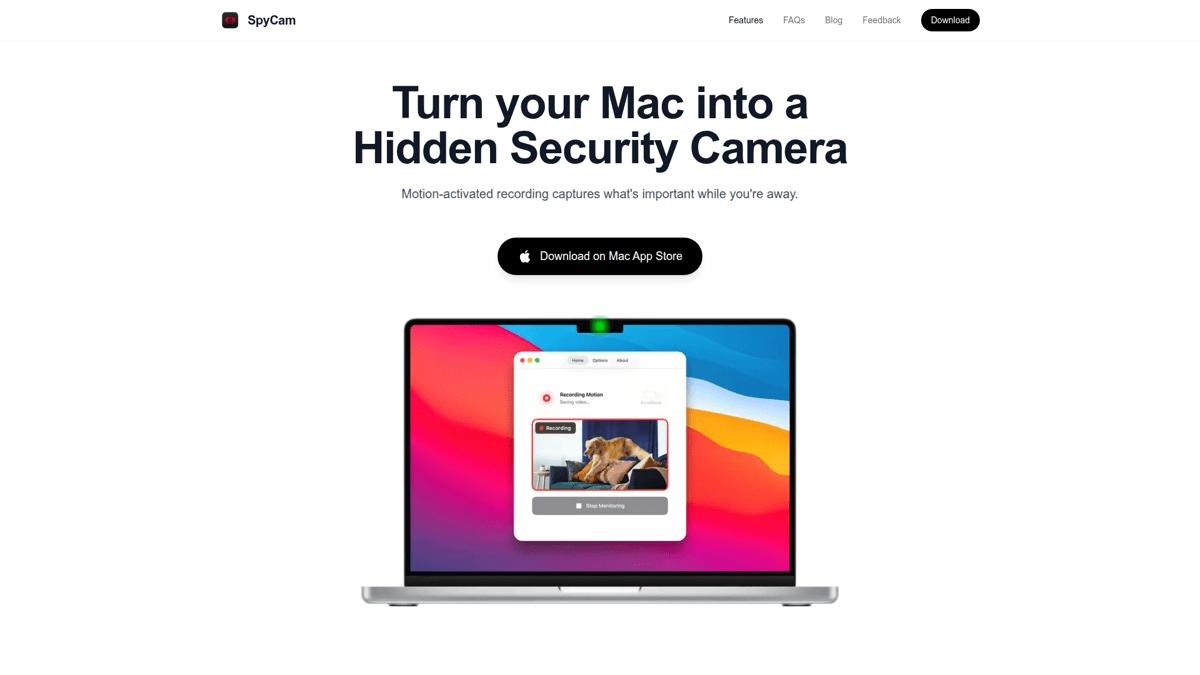

SpyCam turns any Mac into a motion-activated security camera with true local storage. Not "local storage that syncs to our cloud" - actual recordings saved to a folder on your Mac or your Photos library.
The standout feature is Surveillance Mode. When you lock your Mac or close the lid, SpyCam automatically starts watching. When you return and unlock, it stops. No other camera app - hardware or software - does this. You never forget to arm it because it arms itself.
Storage is flexible: save to the Photos app (which optionally syncs to iCloud - your iCloud, not SpyCam's servers), or pick any local folder. Want footage on an external drive? Done. On a NAS? Also fine. The app works 100% offline if you want it to.
Our Verdict
🎯SpyCam
The best software-based local storage camera. True offline operation, auto-arm on lock, and you choose exactly where recordings go.
Best for: Mac users who want dead-simple local surveillance without cloud dependencies
Strengths
- +100% local storage - choose any folder
- +Surveillance Mode auto-arms when you lock Mac (unique)
- +Works completely offline - no internet required
- +Supports external USB cameras up to 4K
- +30+ stealth menu bar icons
- +$14.99/year or $44.99 lifetime (no subscription trap)
Weaknesses
- −No live streaming/remote viewing
- −No push notifications
- −Mac must stay powered on
- −Indoor use only (Mac isn't weatherproof)
“Does this work if the Mac is locked/sleeping?”
“Indeed, it does. That was one of the must have features. Otherwise it would be pointless.”
Homy (iPhone/iPad)
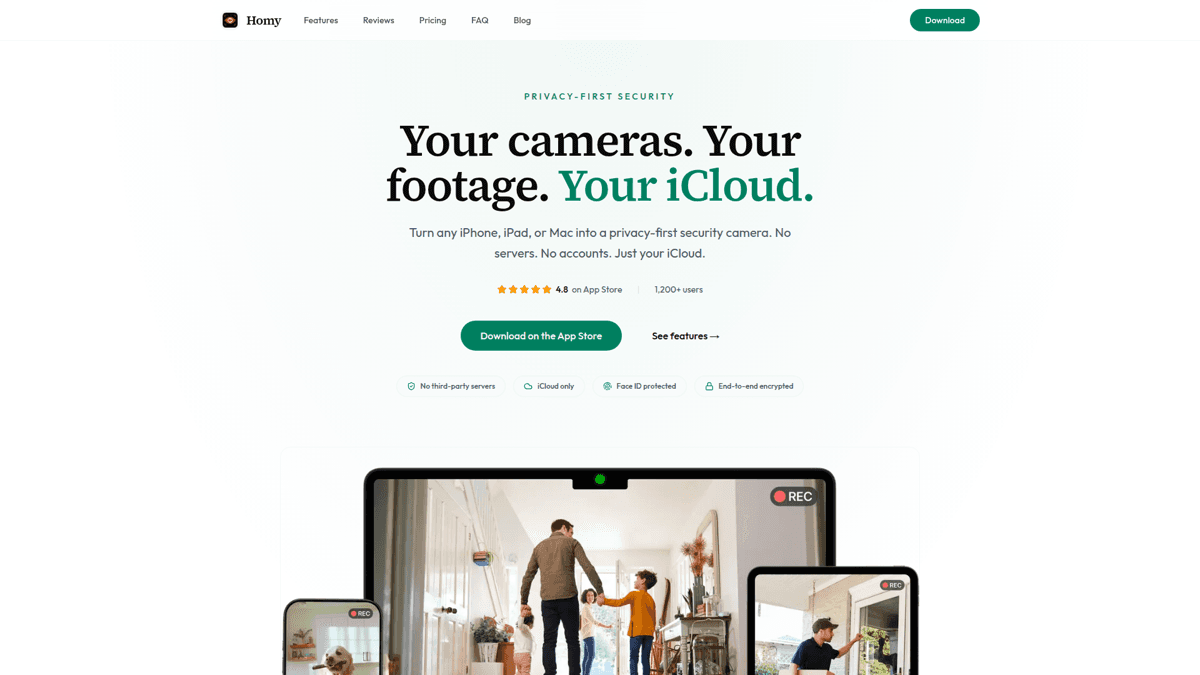

Homy is SpyCam's sibling for iPhone and iPad. Same privacy-first philosophy, adapted for mobile devices.
Recordings save to your iCloud Photos - which means they're encrypted with your Apple ID and accessible from any Apple device. It's "local" in the sense that it's your cloud, not Homy's. No third-party servers ever touch your footage.
The stealth mode is clever: disguise the app as a clock or calculator while it records. Great for repurposing an old iPhone as a hidden camera without it being obvious.
Our Verdict
📱Homy
Perfect for repurposing spare iPhones. iCloud Photos storage means footage syncs across your devices automatically.
Best for: iPhone/iPad users who want mobile-based surveillance with cross-device access
Strengths
- +Repurpose old iPhones as cameras
- +iCloud Photos sync (your cloud, end-to-end encrypted)
- +Stealth mode (disguise as clock/calculator)
- +Face ID protected
- +$44.99 lifetime option
Weaknesses
- −Requires iCloud Photos enabled
- −Device must stay charged
- −Indoor use only
- −iOS device required (no Android)
How to set up software local storage (5 minutes)
Download SpyCam from the Mac App Store
Search "SpyCam" or use the direct link. The app costs $14.99/year or $44.99 lifetime - no free tier, but no subscription trap either.
Grant camera permission
SpyCam needs access to your Mac's camera. Click Allow when prompted. You can also add an external USB camera for better quality.
Choose your storage location
Open Settings > Storage. Pick 'Photos' to sync with iCloud, or 'Local Folder' to save recordings to any location - external drive, NAS, wherever.
Enable Surveillance Mode
Toggle on Surveillance Mode. Now SpyCam auto-arms when you lock your Mac (Cmd+Q or close lid) and disarms when you return.
Position your Mac
Angle your Mac's screen (and camera) toward the area you want to monitor. That's it - you now have a local storage security camera.
Best hardware local storage cameras
Software solutions are great for indoor monitoring with existing devices. But if you need outdoor cameras, night vision, or a multi-camera setup, hardware is the way to go.
⚠️ Hardware cameras aren't truly 'no setup'
Even local storage hardware cameras typically require initial cloud/internet setup and app registration. True offline operation from day one is rare - check specs carefully.
Reolink NVR Systems - best for multi-camera
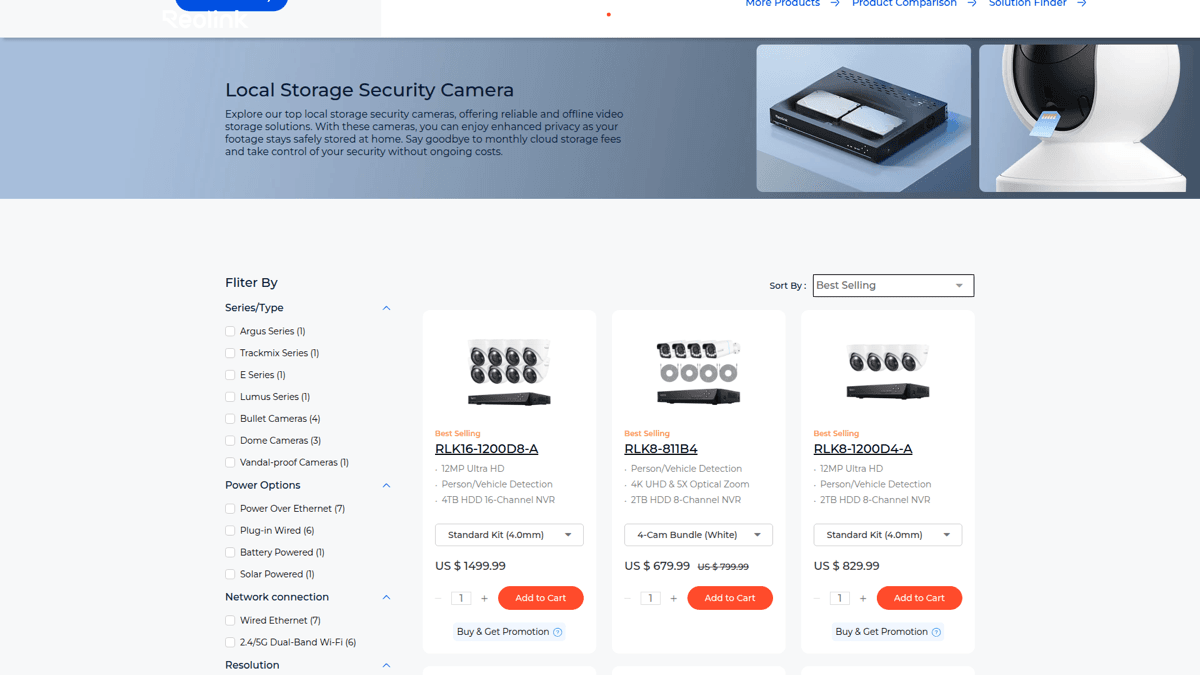
Reolink dominates the local storage hardware space. Their NVR (Network Video Recorder) systems bundle cameras with a central recording unit - no cloud required.
The RLK8-811B4 ($679) includes 4 cameras and an 8-channel NVR with 2TB storage. Footage stays on the included hard drive. The app provides remote viewing through your local network, but recordings never touch Reolink's servers.
For serious setups, they scale to 16 cameras with AI person/vehicle detection, 4K resolution, and optional PoE (power over ethernet) for single-cable installation.
Our Verdict
🏠Reolink NVR
The gold standard for multi-camera local storage. Serious investment, serious capability.
Best for: Homeowners who need 4+ outdoor cameras with professional-grade recording
Strengths
- +True local storage on included NVR
- +4K resolution options
- +AI person/vehicle detection
- +PoE for easy cabling
- +No monthly fees
Weaknesses
- −$300-1,500+ upfront cost
- −Complex installation (especially outdoor)
- −App required for initial setup
- −Overkill for single-camera needs
Eufy Cameras - best standalone
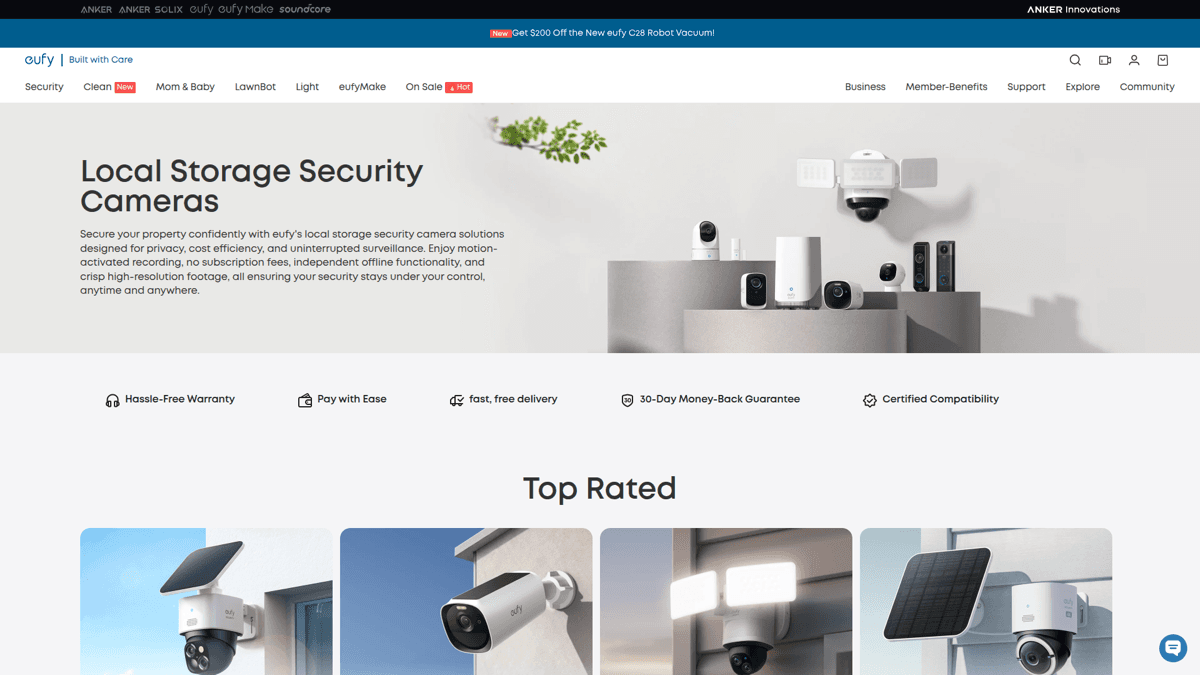
Eufy offers individual cameras with local storage that don't require a full NVR system. The SoloCam S220 ($99) has built-in storage - no base station, no SD card to buy separately.
Their HomeBase models add shared local storage for multiple cameras. You get AI detection, 2K resolution, and a privacy-focused approach (Eufy markets heavily on the "no cloud" angle, though they've had some PR issues with thumbnail uploads in the past).
Our Verdict
📦Eufy
Good balance of features and price for hardware local storage. Watch for sales.
Best for: Users who want one or two outdoor cameras without a full NVR commitment
Strengths
- +Built-in storage (no extra purchases)
- +Solar-powered options available
- +AI detection included
- +More affordable than NVR systems
Weaknesses
- −Past privacy controversies (thumbnail uploads)
- −App required, cloud account needed for setup
- −Limited storage compared to NVR
Full comparison: software vs hardware
Here's how the top local storage options compare across all the factors that matter:
| SpyCam (Mac) | Homy (iPhone) | Reolink NVR | Eufy Solo | |
|---|---|---|---|---|
| Price | $14.99/yr | $44.99 lifetime | $679 (4-cam kit) | $99-199 |
| Monthly cost | $0 | $0 | $0 | $0 |
| Storage location | Any folder/Photos | iCloud Photos | NVR hard drive | Built-in/HomeBase |
| Works offline | ✅ 100% | ❌ (needs iCloud) | ✅ (after setup) | ❌ (needs app) |
| Motion detection | ✅ | ✅ | ✅ AI | ✅ AI |
| Night vision | ❌ | ❌ | ✅ | ✅ |
| Outdoor use | ❌ | ❌ | ✅ | ✅ |
| Setup time | 5 min | 5 min | 1-2 hours | 30 min |
| Cameras | 1 (Mac webcam) | 1 (iPhone) | 4-16 | 1-4 |
| Remote access | Via iCloud | Via iCloud | App (local) | App (local) |
Which local storage option should you choose?
The answer depends on what you already have and what you're trying to protect:
- Spare Mac sitting around? Get SpyCam. $15/year, 5-minute setup, true offline local storage. The auto-arm feature alone is worth it.
- Old iPhone in a drawer? Get Homy. Repurpose it as a camera with iCloud sync to your other devices.
- Need outdoor coverage? Hardware is required. Start with Eufy SoloCam ($99) for one camera, or Reolink NVR ($679+) for a full system.
- Maximum privacy paranoia? SpyCam with local folder storage. Nothing touches the internet. Ever.
For most people, software wins. You likely have a Mac or iPhone already. The cost difference between $15 and $700 is massive. And the privacy is actually better - because there's no app registration, no cloud account, no company that even theoretically could access your footage.
“Looking for outdoor cameras for an older house. Running ethernet cables would be a pain. Ideally something that stores video locally (no cloud, no subscription) and can still send motion alerts.”
Frequently asked questions
Can security cameras work without internet?
Yes - with caveats. SpyCam works 100% offline from the moment you install it. Hardware cameras typically need internet for initial setup and app registration, but can record locally afterward. Check each product's specs for "offline mode" support.
How much storage do I need?
Motion-triggered recording uses far less than you'd think. SpyCam's default 30-second clips at 720p run about 5-10MB each. Even with 50 motion events per day, that's under 500MB daily. A 256GB drive holds months of footage.
Is local storage more secure than cloud?
Generally yes. With local storage, there's no third-party server to breach. Your footage only exists on devices you physically control. The trade-off: if someone steals the camera/Mac, they get the footage too. For high-security needs, consider encrypted storage or off-site backup to your own NAS.
What's the cheapest local storage option?
SpyCam at $14.99/year is the cheapest capable option. If you only need it temporarily, the $2.99/month option works too. For hardware, Eufy's basic indoor camera with SD card slot runs about $30-50 on sale.
Mac + iPhone coverage
Use SpyCam on your Mac for stationary monitoring and Homy on a spare iPhone for flexible placement. Both save to iCloud Photos, so you get all your footage in one place.
Get Homy for iOSSummary
Local storage security cameras don't have to mean expensive hardware systems. If you have a Mac, SpyCam turns it into a motion-activated camera for $15/year with true local storage - no cloud, no subscriptions, no privacy concerns.
For outdoor coverage or multi-camera setups, hardware like Reolink NVR systems make sense. But for most indoor monitoring needs, software-based solutions offer better value, easier setup, and stronger privacy guarantees.
The key is choosing storage you control. Whether that's a folder on your Mac, your iCloud Photos library, or a NAS in your closet - footage that never touches third-party servers is footage that can't be breached, subpoenaed, or monetized by someone else.