Whether you want to monitor your apartment while traveling, keep an eye on your home office, or just see who's been near your desk - your Mac can handle it. No extra hardware needed. But which app should you use?
I tested four Mac security camera apps across two categories: apps that turn your Mac's webcam into the camera, and apps that view existing IP cameras. Here's what actually works in 2026.
Q:What is the best Mac security camera app?
A: SpyCam ($44.99 lifetime) is the best app for turning your Mac's webcam into a security camera - its unique Surveillance Mode auto-arms when you lock your screen. For viewing existing IP cameras, SecuritySpy ($49.95+) offers professional multi-camera management with AI detection.
- 1.SpyCam: Best for webcam surveillance (auto-arm on lock, iCloud sync)
- 2.SecuritySpy: Best for multi-camera IP setups (AI detection, NVR)
- 3.GlanceCam: Best for viewing IP feeds (elegant viewer, no recording)
- 4.iSpy/Agent DVR: Best open-source option (free, cross-platform)
Best Mac security camera apps compared
Before diving into each app, here's how they stack up side by side. The key split: SpyCam and iSpy work with your Mac's built-in webcam. SecuritySpy and GlanceCam require separate IP cameras.
| Feature | SpyCam | SecuritySpy | GlanceCam | iSpy |
|---|---|---|---|---|
| Uses Mac webcam | ✅ | ❌ | ❌ | ✅ |
| External USB camera | ✅ | ❌ | ❌ | ✅ |
| IP/network cameras | ❌ | ✅ | ✅ | ✅ |
| Motion detection | ✅ | ✅ (AI) | ❌ | ✅ |
| Recording | ✅ | ✅ | ❌ | ✅ |
| Auto-arm on lock | ✅ (unique) | ❌ | ❌ | ❌ |
| Remote viewing | ❌ | ✅ | ✅ | ✅ |
| Multi-camera | ❌ | ✅ | ✅ | ✅ |
| Privacy (no cloud) | ✅ | ✅ | ✅ | ✅ |
| Mac-native | ✅ | ✅ | ✅ | ❌ |
| Price | $14.99/yr · $44.99 lifetime | From $49.95 | $22.99 lifetime | Free |
1. SpyCam - best for turning your Mac into a security camera
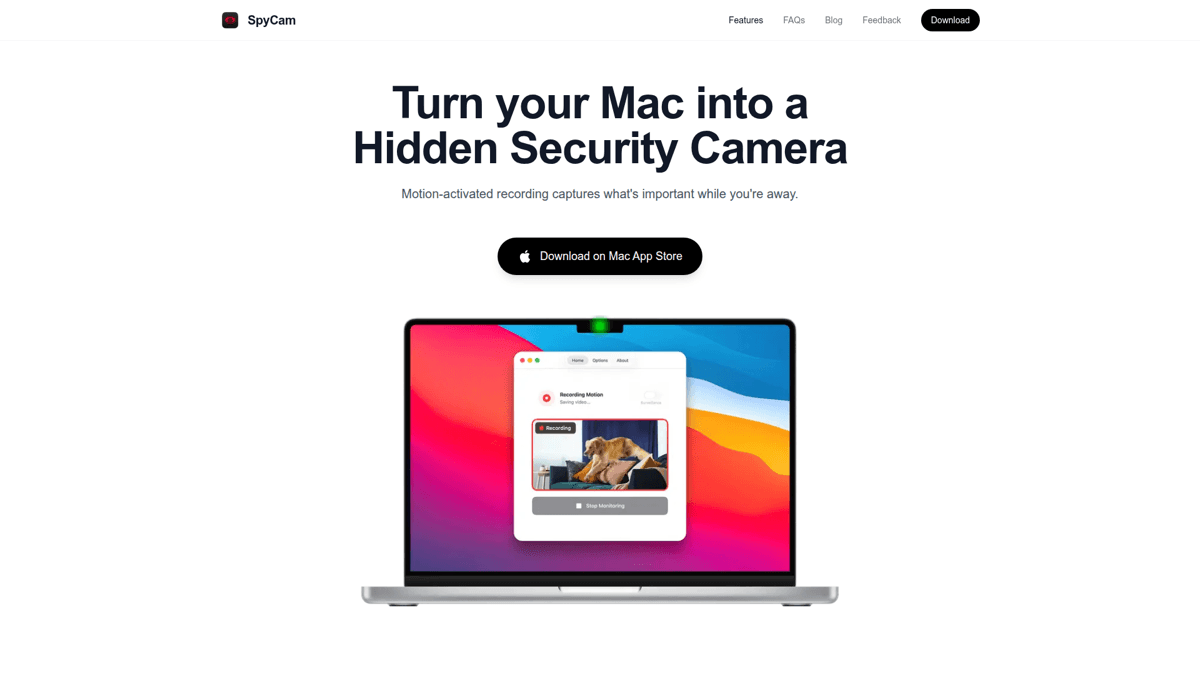
SpyCam is built for one thing: turning your Mac's camera into a motion-activated security system. No IP cameras required. Just open it, enable monitoring, and lock your Mac.
The killer feature is Surveillance Mode - it automatically starts recording when you lock your screen. No other app does this. You just close your MacBook lid or hit Cmd+Q on your screen lock, and SpyCam is watching. Recordings go straight to your Photos app, which means they sync to your iPhone via iCloud automatically.
The app lives in your menu bar with 30+ disguised icons (turtle, coffee cup, leaf) so nobody knows it's running. It supports external cameras too, including 4K models, so you're not limited to the built-in FaceTime HD camera.
The trade-off? No live streaming or push notifications. You review footage after the fact through Photos or iCloud. For most home and office monitoring, that's perfectly fine - but if you need real-time alerts, you'll want to pair it with something else.
Our Verdict
🎯SpyCam
The simplest way to turn any Mac into a security camera. Surveillance Mode is genuinely unique and solves the biggest pain point - remembering to arm your camera.
Best for: Mac users who want webcam-based surveillance without extra hardware
Strengths
- +Surveillance Mode auto-arms on lock screen (unique)
- +Footage syncs to iPhone via iCloud Photos
- +30+ stealth menu bar icons
- +No subscription needed - $44.99 lifetime option
- +Supports external USB cameras up to 4K
Weaknesses
- −No live streaming or remote viewing
- −No push notifications
- −One camera at a time
- −No AI person/pet detection
“I have a desk Mac setup at office. I have many items stolen when I leave my desk for some work. In my absence can I use my Mac's camera to do a hidden surveillance.”
“Does this work if the Mac is locked/sleeping?”
“Indeed, it does. That was one of the must have features. Otherwise it would be pointless.”
Anonymous
Very impressive and under-rated
“Very impressive and under-rated but iOS 15 version too please, one purchase and integrity of interface over devices, also that iPhones are smaller and we have more of them in a house than macs!”
2. SecuritySpy - best for multi-camera setups
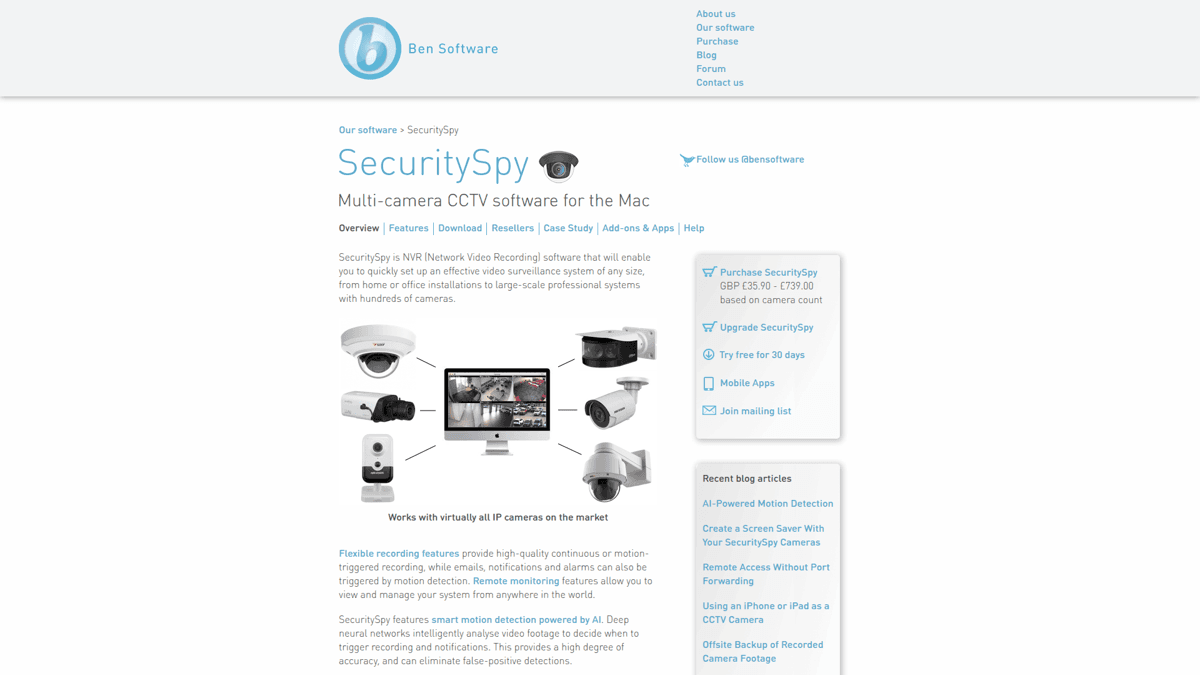
SecuritySpy is professional-grade NVR (Network Video Recorder) software for Mac. If you already own IP cameras - or you're planning to set up a multi-camera system - this is the gold standard on macOS.
It supports AI-powered motion detection that can distinguish people from animals or moving shadows. You get remote monitoring through a web interface and companion app, continuous or motion-triggered recording, and hardware-accelerated video processing. It handles dozens of cameras simultaneously.
The catch: you need IP cameras. SecuritySpy doesn't use your Mac's webcam. And pricing starts at $49.95 for a single camera license, scaling up with more cameras. It's serious software for serious setups.
Our Verdict
🏢SecuritySpy
The most capable Mac surveillance software available. Overkill for casual users, but unbeatable if you have IP cameras to manage.
Best for: Users with existing IP camera hardware who need professional NVR software
Strengths
- +AI-powered smart motion detection
- +Supports dozens of IP cameras
- +Remote monitoring via web and app
- +Hardware-accelerated processing
- +20+ years of development
Weaknesses
- −Requires IP cameras (no webcam support)
- −Expensive for casual users ($49.95+)
- −Complex initial setup
- −Not on the Mac App Store
3. GlanceCam - best for viewing IP camera feeds
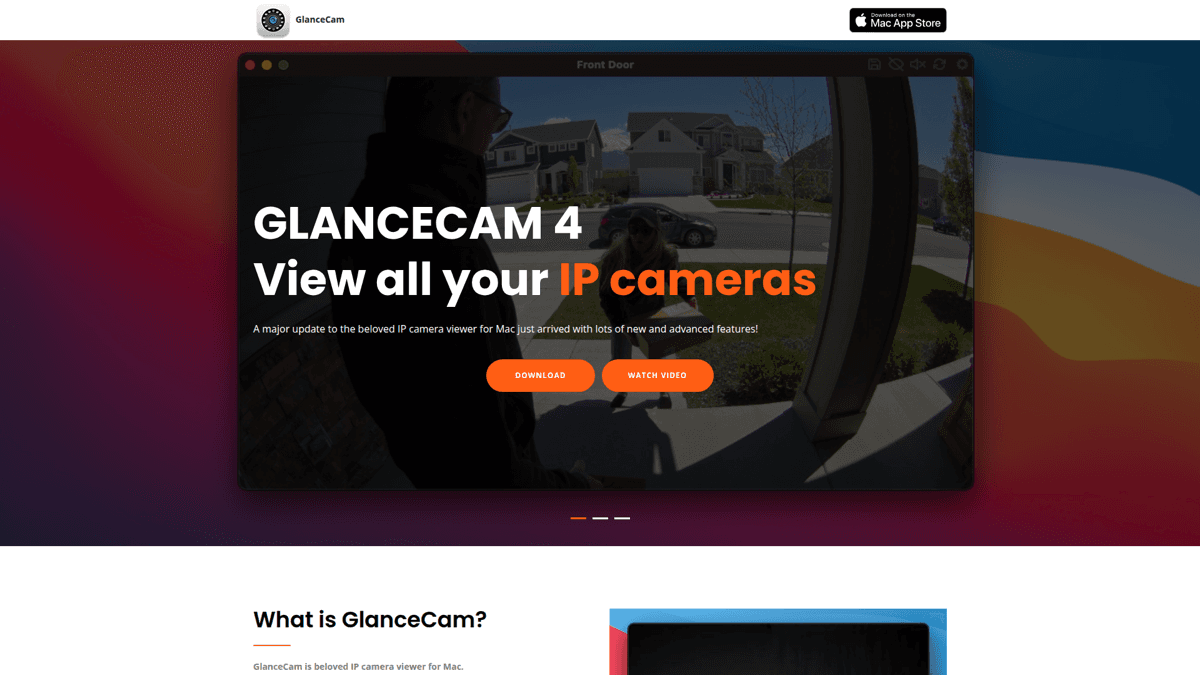
GlanceCam takes a different approach - it's purely a camera viewer. No recording, no motion detection. Just clean, elegant windows showing your IP camera feeds.
Where it shines is the viewing experience. GlanceGrids let you arrange multiple camera feeds in flexible layouts. The always-on-top option keeps a camera feed visible while you work. It supports RTSP, HTTP, and RTMP protocols, and the Insta-zoom feature lets you quickly magnify areas of interest.
With 680+ ratings averaging 4.3+ stars on the Mac App Store, it's clearly doing something right. But understand what you're getting - a viewer, not a recorder. If you need motion detection or recording, look at SpyCam or SecuritySpy instead.
Our Verdict
👁️GlanceCam
Best-in-class IP camera viewer. Does one thing and does it beautifully - but it only does that one thing.
Best for: Users who just need to view IP camera feeds on their Mac desktop
Strengths
- +Elegant multi-window layouts (GlanceGrids)
- +Always-on-top camera windows
- +Broad protocol support (RTSP/HTTP/RTMP)
- +14 custom menu bar icons
- +Mac-native and fast
Weaknesses
- −No recording capability at all
- −No motion detection
- −Requires existing IP cameras
- −Viewing only - not a surveillance tool
4. iSpy (Agent DVR) - best free option
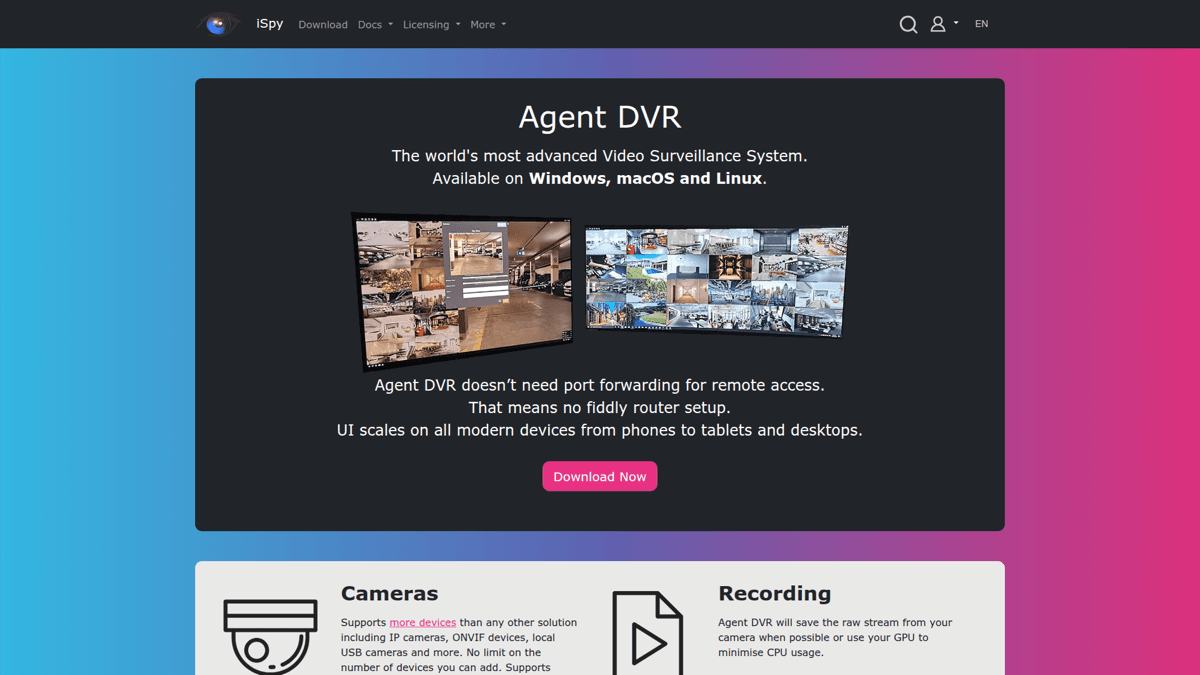
iSpy (now evolving into Agent DVR) is the open-source option. It's free, works with webcams and IP cameras, and runs on Mac, Windows, and Linux.
The feature list is impressive on paper: motion detection, recording, extensive plugin system, and cross-platform support. But the Mac experience isn't great. The UI feels like a Windows app running on macOS, setup is complex compared to native alternatives, and the documentation assumes technical knowledge.
Agent DVR (the commercial evolution) adds cloud features and a nicer interface but requires a subscription. If you're technical and want maximum flexibility for free, iSpy works. For everyone else, SpyCam's straightforward setup and native macOS experience make it a far better starting point.
⚠️ Complex setup required
iSpy/Agent DVR requires command-line installation on Mac and may need additional dependencies. It's best suited for users comfortable with terminal commands.
Our Verdict
🔧iSpy / Agent DVR
Powerful and free, but the Mac experience is rough. Best for technical users who want open-source flexibility.
Best for: Technical users who want free, customizable surveillance software
Strengths
- +Completely free and open source
- +Works with webcams and IP cameras
- +Cross-platform (Mac, Windows, Linux)
- +Extensive plugin ecosystem
- +Active community
Weaknesses
- −Not Mac-native (clunky UI on macOS)
- −Complex setup process
- −Documentation assumes technical knowledge
- −Agent DVR paid plans needed for cloud features
Which Mac security camera app is right for you?
The right choice depends on what you already have and what you need:
- You just have a Mac with a webcam - Get SpyCam. It's the only app that auto-arms when you lock your screen, and footage syncs to your phone via iCloud.
- You have IP cameras and want recording - Get SecuritySpy. It's expensive but handles multi-camera setups better than anything else on Mac.
- You have IP cameras and just want to watch - Get GlanceCam. Clean, elegant, and purpose-built for viewing feeds.
- You want free and don't mind complexity - Try iSpy. It's powerful but takes work to set up on Mac.
For most people reading this, SpyCam is the answer. You don't need to buy cameras, the setup takes under five minutes, and Surveillance Mode means you never forget to arm it. Check out our step-by-step setup guide to get started.
Need mobile monitoring too?
SpyCam is perfect for stationary Mac-based monitoring. For iPhone and iPad security cameras, check out Homy - our privacy-first mobile app with the same iCloud-based approach.
Get Homy for iOS