Search for "cheap home security camera" and you'll find endless lists of Wyze, Blink, and Eufy cameras - all starting at $30-50. Not bad, but there's a cheaper option nobody talks about: using the devices you already own.
Your Mac has a camera. Your old iPhone has a camera. Software like SpyCam and Homy turns them into motion-detecting security cameras - with zero hardware cost.
Q:What's the cheapest home security camera in 2026?
A: The cheapest home security camera is one you already own. SpyCam ($14.99/year) turns your Mac into a motion-detecting security camera with zero hardware cost. For budget hardware, Wyze Cam v3 ($36) and Blink Mini 2 ($30) are the cheapest dedicated options, though subscriptions add up over time.
- 1.Cheapest overall: SpyCam ($14.99/yr) - uses your Mac, $0 hardware
- 2.Cheapest iPhone: Homy ($9.99/yr) - repurpose an old phone
- 3.Cheapest hardware: Blink Mini 2 ($30) - but needs subscription for cloud
- 4.Best value hardware: Reolink E1 Pro ($45) - no subscription ever
The true cost of "cheap" security cameras
That $30 camera isn't really $30. Most budget cameras require monthly subscriptions for basic features like cloud storage and person detection. Here's what you'll actually pay over three years:
| Option | Year 1 | Year 2 | Year 3 | 3-Year Total |
|---|---|---|---|---|
| SpyCam (Mac) | $14.99 | $14.99 | $14.99 | $44.97 (or $44.99 lifetime) |
| Homy (iPhone) | $9.99 | $9.99 | $9.99 | $29.97 (or $29.99 lifetime) |
| Wyze + Cam Plus | $60 | $24 | $24 | $108 |
| Blink + Plan | $60 | $30 | $30 | $120 |
| Reolink E1 Pro | $45 | $0 | $0 | $45 |
The pattern is clear: software-based cameras on existing devices cost the least. If you already have a Mac or spare iPhone, you're paying for software only - no hardware markup, no shipping, no e-waste.
“I've gotten to the point where I'm considering finding out how to permanently power one of my old laptops and take some old laptop webcams and wire them to it”
This Redditor was about to MacGyver their own solution. They didn't know SpyCam already does exactly this - and better.
The $0 hardware option: software security cameras
Every "cheap camera" guide recommends hardware. But if you have a Mac or iPhone sitting around, you can skip the hardware entirely. These software solutions turn existing devices into capable security cameras.
SpyCam for Mac - turn your Mac into a security camera
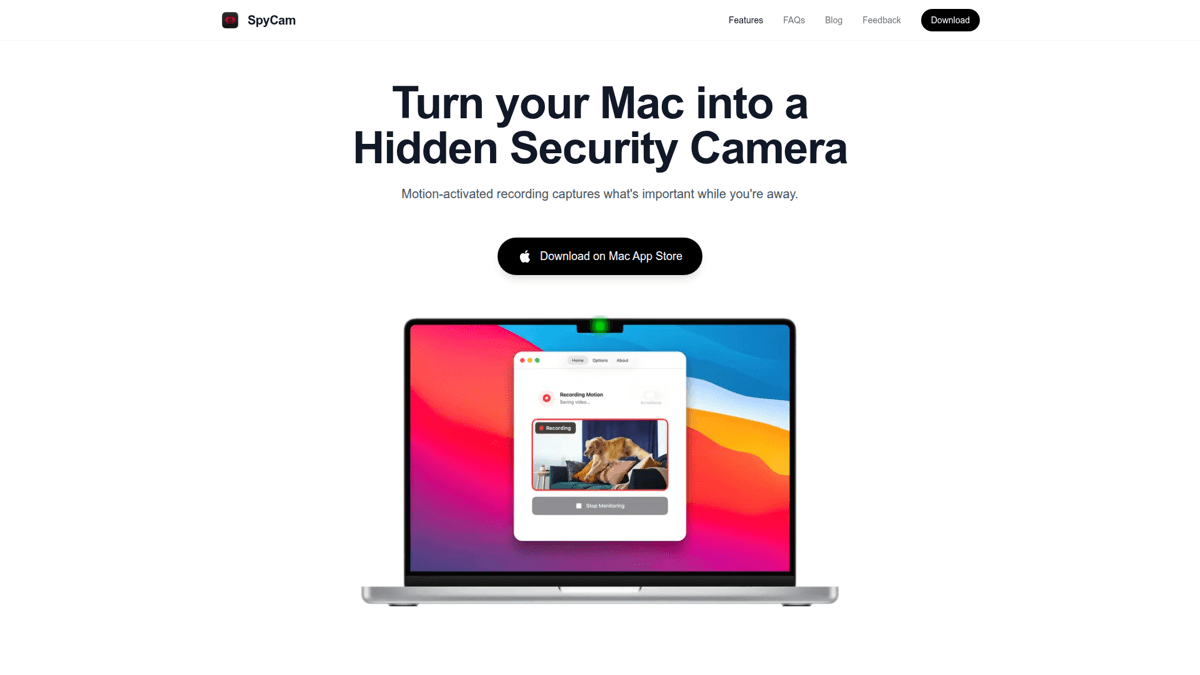

SpyCam is the cheapest way to get a working security camera - because the hardware cost is zero. Your Mac already has a camera. SpyCam adds motion detection, automatic recording, and clever features that dedicated cameras don't have.
The killer feature: Surveillance Mode. When you lock your Mac or close the lid, SpyCam automatically starts monitoring. When you return and unlock, it stops. You never forget to arm it because it arms itself. No dedicated camera does this.
Storage is local - recordings go to a folder on your Mac or your Photos library. No cloud subscriptions, no monthly fees, no third-party servers touching your footage.
Our Verdict
🎯SpyCam
The cheapest capable security camera option - period. Uses hardware you already own, costs $15/year, and includes unique features like auto-arm on lock.
Best for: Mac users who want security monitoring without buying hardware
Strengths
- +ZERO hardware cost - uses your Mac's camera
- +Surveillance Mode auto-arms when you lock (unique feature)
- +Local storage - Photos app or any folder
- +Works offline - no internet required
- +Supports USB webcams up to 4K
- +$44.99 lifetime option - no subscription trap
Weaknesses
- −Mac must stay powered on
- −No remote live viewing (use iCloud Photos for remote access)
- −Indoor use only
- −No push notifications to phone
For full setup instructions, see our guide on how to turn your Mac into a security camera.
Homy for iPhone - repurpose your old phone
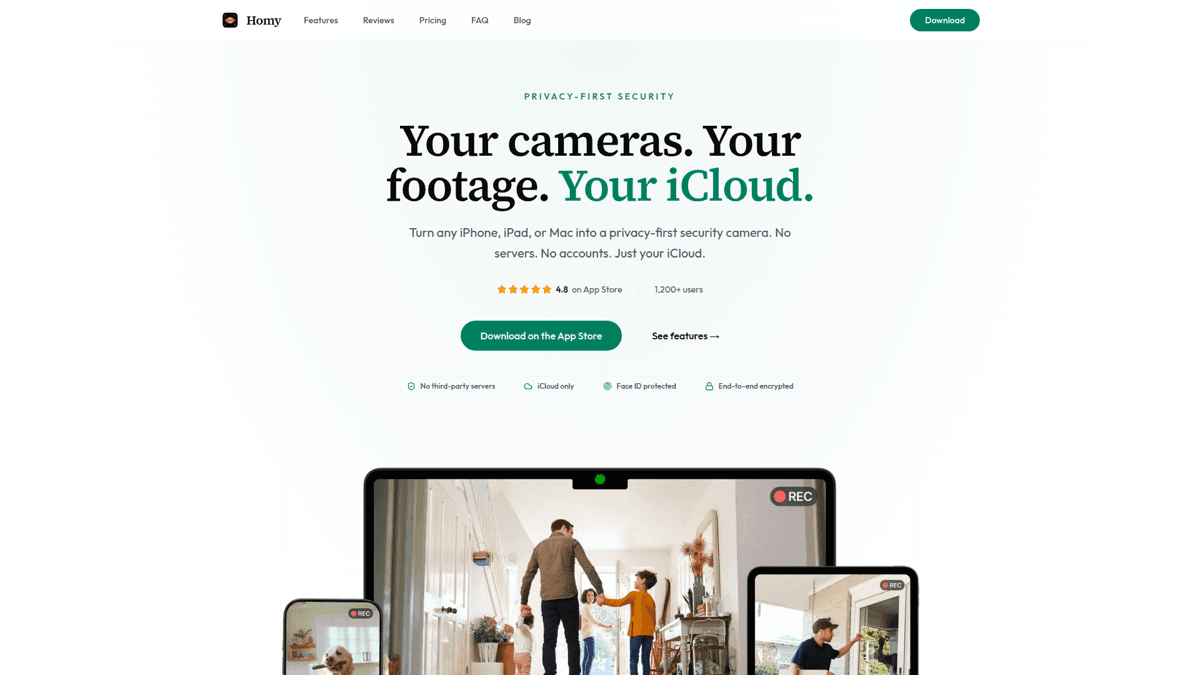

Got an old iPhone in a drawer? Homy turns it into a security camera for free (or $9.99/year for premium features). Same privacy-first approach as SpyCam - your footage stays in your iCloud, not on third-party servers.
The advantage over Mac: portability. An iPhone can go anywhere. Point it at a window, a baby's crib, or a package drop zone. Just keep it plugged in for continuous monitoring.
Our Verdict
📱Homy
Perfect for repurposing old iPhones. Free tier available, premium is cheaper than any hardware option.
Best for: Anyone with a spare iPhone who wants portable indoor monitoring
Strengths
- +Free tier available
- +Repurpose old iPhone instead of e-waste
- +Portable - position anywhere
- +iCloud Photos sync across devices
- +Stealth mode disguises app as calculator/clock
Weaknesses
- −iPhone required (no Android version)
- −Battery drains - needs constant power
- −Indoor use only
Mac + iPhone coverage
Use SpyCam on your Mac for stationary monitoring and Homy on an old iPhone for flexible placement. Both sync to iCloud Photos - one unified footage library.
Get Homy for iOSBest budget hardware cameras
If you need outdoor coverage, night vision, or don't have a spare Mac/iPhone, dedicated hardware makes sense. Here are the cheapest options worth buying.
Wyze Cam v3 - best features per dollar
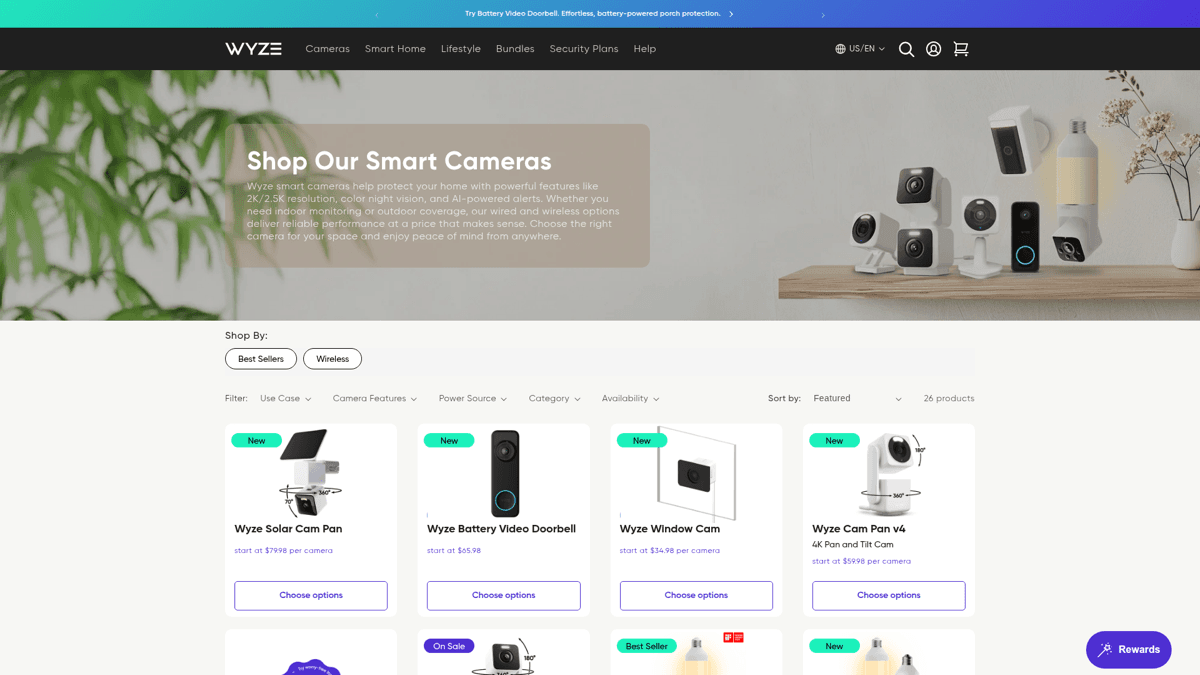
Wyze Cam v3 ($36) packs a lot into a cheap camera: 1080p video, color night vision, weather resistance for outdoor use, and local storage via microSD card.
The catch: basic cloud storage is free, but useful features like person detection require Cam Plus ($2/month). Over three years, that $36 camera costs $108+.
Our Verdict
💵Wyze Cam v3
The most features you'll find under $40 - just budget for the subscription if you want AI detection.
Best for: Budget shoppers who need outdoor capability and don't mind cloud subscriptions
Strengths
- +Only $36 hardware cost
- +Color night vision
- +Weather-resistant (outdoor use)
- +MicroSD local storage option
- +14-second free cloud clips
Weaknesses
- −Useful features require $2/mo subscription
- −Requires internet for setup and cloud features
- −Data goes through Wyze servers
- −Past security breaches (2019 data leak)
Blink Mini 2 - cheapest with Alexa
Blink Mini 2 ($30) is Amazon's entry-level camera. It integrates with Alexa, offers two-way audio, and works well if you're already in the Amazon ecosystem.
The problem: no local storage option. You need Blink's subscription ($3/month or $30/year) to save any footage. Without it, you only get live viewing.
Our Verdict
📦Blink Mini 2
The cheapest brand-name camera, but subscription-dependent for actual usefulness.
Best for: Amazon/Alexa households who don't mind subscription costs
Strengths
- +Only $30 - cheapest dedicated camera
- +Great Alexa integration
- +Two-way audio
- +Tiny form factor
Weaknesses
- −NO local storage option
- −Subscription required for cloud storage
- −Amazon data collection
- −Useless without subscription (live view only)
⚠️ Blink requires a subscription for storage
Without Blink's subscription plan, you can only view live footage - not save it. For a 'cheap' camera, this makes it one of the most expensive over time.
Reolink E1 Pro - best no-subscription hardware
Reolink E1 Pro ($45) is the sweet spot for budget hardware. It has 4MP resolution (sharper than Wyze/Blink), pan/tilt controls, person/pet detection - and zero subscription requirement.
Recordings save to a microSD card. No cloud fees ever. The app is clunkier than Wyze or Blink, but you own your footage completely.
Our Verdict
🔒Reolink E1 Pro
The best budget hardware if you want zero ongoing costs. Higher upfront than Wyze, but cheaper over time.
Best for: Privacy-conscious users who want hardware without subscriptions
Strengths
- +No subscription required - ever
- +4MP resolution (better than competitors)
- +Pan/tilt for wider coverage
- +Person/pet detection included
- +MicroSD local storage
Weaknesses
- −$45 upfront (more than Blink/Wyze)
- −App can be clunky
- −WiFi only - no ethernet
- −Still requires internet for app setup
“I'm looking at cameras that don't force you to use their garbage Chinese backdoor spyware software. What brands just work as wifi cameras that you can access yourself directly?”
This frustration is real. Most cheap cameras funnel your footage through company servers. Reolink and software solutions like SpyCam are the exception.
Full comparison: all options
| SpyCam | Homy | Wyze v3 | Blink Mini 2 | Reolink E1 | |
|---|---|---|---|---|---|
| Hardware cost | $0 | $0 | $36 | $30 | $45 |
| Annual cost | $14.99 | $9.99 | $24 (sub) | $30 (sub) | $0 |
| 3-year total | $45 | $30 | $108 | $120 | $45 |
| Local storage | ✅ | ✅ (iCloud) | ✅ (SD) | ❌ | ✅ (SD) |
| Works offline | ✅ | ❌ | Partial | ❌ | Partial |
| Motion detection | ✅ | ✅ | ✅ | ✅ | ✅ |
| Night vision | ❌ | ❌ | ✅ | ✅ | ✅ |
| Outdoor use | ❌ | ❌ | ✅ | ❌ | ❌ |
| Two-way audio | ❌ | ❌ | ✅ | ✅ | ✅ |
| Setup time | 5 min | 5 min | 15 min | 10 min | 20 min |
| Privacy | 🔒 Max | 🔒 High | ⚠️ Cloud | ⚠️ Cloud | 🔒 High |
Which cheap camera should you choose?
The right choice depends on what you already have and what you need to monitor:
- Have a spare Mac? → SpyCam. $15/year, zero hardware cost, unique auto-arm feature.
- Have an old iPhone? → Homy. Free tier available, portable, syncs with your iCloud.
- Need outdoor/night vision? → Reolink E1 Pro. $45 once, no subscriptions ever.
- Want Alexa integration? → Wyze Cam v3. Budget the $2/month subscription.
- Maximum privacy? → SpyCam with local folder storage. Nothing touches the internet.
Check what devices you have
A spare Mac, old iPhone, or unused laptop can become a security camera for essentially free. Only buy hardware if you need features these don't provide.
Decide on local vs cloud storage
Local storage (SpyCam, Reolink) means no monthly fees and maximum privacy. Cloud storage (Wyze, Blink) means remote access but ongoing costs.
Consider the 3-year cost
A 'cheap' $30 camera with a $3/month subscription costs $138 over three years. A $45 Reolink costs $45 total. SpyCam costs $45 for lifetime access.
Start with software if possible
If you have a Mac or iPhone, try SpyCam or Homy first. You can always add hardware later if you need outdoor coverage or night vision.
Frequently asked questions
What is the absolute cheapest security camera?
If you have a spare Mac or iPhone, SpyCam ($14.99/year) or Homy (free tier available) cost less than any hardware. For dedicated cameras, Blink Mini 2 at $30 is the cheapest - but requires a subscription for storage.
Can I avoid monthly subscriptions?
Yes. SpyCam, Homy, and Reolink all work without subscriptions. SpyCam and Homy have one-time lifetime purchase options. Reolink cameras store locally to microSD with no recurring fees.
Is software camera quality good enough?
Modern Mac cameras are 1080p. External USB webcams support up to 4K. For indoor monitoring, this is plenty. You only need dedicated hardware for outdoor use, night vision, or pan/tilt functionality.
Which cheap camera is most private?
SpyCam. It works 100% offline, stores to local folders, and never sends data to any server. Even iCloud sync is optional. Reolink is second-best for hardware - local SD card storage with optional cloud.
Summary
The cheapest home security camera isn't a camera at all - it's software that turns devices you already own into cameras. SpyCam ($14.99/year) uses your Mac. Homy ($9.99/year or free) uses your old iPhone. Neither requires hardware purchases.
If you need dedicated hardware, Reolink E1 Pro ($45) offers the best value with zero subscription costs. Wyze and Blink are cheap upfront but expensive over time due to monthly fees.
Before buying anything, check your drawers. That old MacBook or iPhone collecting dust could be monitoring your home by tonight - for a fraction of what any "cheap" camera would cost.